
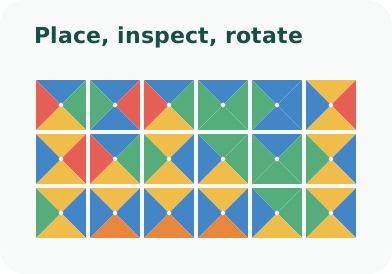
The goal is simple: fill every playable cell so that touching edges have identical colors. Outside edges on an ordinary board are unrestricted. Everything else—rotation, walls, finite supply, loops, and linked positions—is an additive rule shown in the puzzle’s mode label.
1. Choose how to begin
Select New. Competition opens the official puzzle library; Build your own creates a local puzzle with your chosen dimensions and rules; finding a complex set asks the generator to search. If you are new, the built-in Tutorial is the fastest introduction.
2. Place and move tiles
Drag a prototype from the left palette onto the board. Unlimited prototypes show ∞; finite prototypes show the remaining count. You can also click an empty cell repeatedly to cycle through prototypes. Drag a board tile elsewhere to move it, or back to the palette to remove it. Dropping outside the board parks it as a floating tile.
3. Read the board
A red outline means at least one neighboring edge conflicts. The status line reports the total mismatched contacts. Correct partial regions have no red contacts, but they may still lead to a dead end. Empty-cell hints, when enabled, list prototypes compatible with currently occupied neighbors.
4. Rotate only when allowed
Rotate puzzles show a clockwise arrow on each ordinary tile. Rotation changes all four directed edges and may fix one contact while breaking another. Classical fixed-orientation puzzles omit the control. Rotation Only puzzles preassign the prototype at every cell, leaving orientation as the sole decision.
5. Experiment safely
Undo and Redo preserve meaningful board history. You can mark several cells and drag them as a geometric group. Clear board restarts the current position. In Mental mode these conveniences are deliberately restricted: placements are permanent until Clear.
Next, study every optional puzzle rule, or learn how Competition attempts differ from local play.